Tax season is coming. You know it. I know it. And that pile of papers on your desk? Yeah, it knows it too. But before you start hyperventilating into a paper bag (ironic, isn’t it?), let’s tackle this mess like the organized, slightly jaded GenXer you aspire to be.
I spent years in manufacturing, yelling at people about 5S and Kaizen like some kind of clipboard-wielding drill sergeant. Turns out, those same principles work wonders for taming the paper monster lurking in your home office. So, grab a cup of coffee (or something stronger), and let’s get to work.
Step 1: Sort – Because Not All Paper Deserves to Live
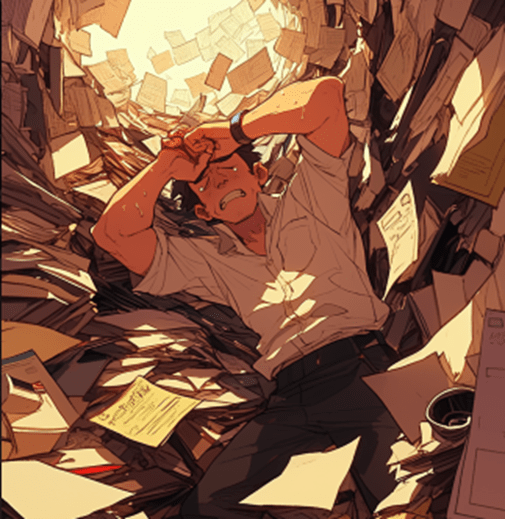
First, gather every single piece of paper in your house. Yes, even the one stuck to the bottom of your shoe. Dump it all in one spot—your kitchen table, the floor, whatever. Now, channel your inner Marie Kondo (but with more sarcasm) and sort it into three categories:
- Tax Documents: W-2s, 1099s, receipts for that “home office” you swear you use.
- To File: Important but not urgent stuff—birth certificates, car titles, that warranty for your VCR.
- To Shred: Old bank statements, junk mail, and anything else that’s just taking up space.
If you’re feeling fancy, add a fourth category: To Burn. For those documents that bring back bad memories. (Kidding. Maybe.)
Step 2: Set in Order – Label Like Your Life Depends on It
Now that you’ve sorted, it’s time to organize. This is where 5S really shines. (Yes, I said “shines.” Don’t @ me.)
Grab some labeled folders or binders. I’m a fan of this expanding file folder because it’s cheap, durable, reminds me of a Trapper Keeper and doesn’t judge me for my questionable life choices.
- Tax Documents: Create folders for each year. Label them clearly—e.g., “2024 Taxes.”
- To File: Use a filing cabinet or storage box. Color-code your labels if you’re feeling extra. (Green for financial, red for medical, etc.)
- To Shred: Toss these into a “Shred Later” bin. Or just shred them now if you’re feeling motivated.
If you’re a visual person, use color-coded labels to make your system idiot-proof. Because let’s face it, Future You is like me, your probably an idiot.
Step 3: Shine – Digitize Like It’s 1999
Here’s where we bring in some Kaizen—continuous improvement. Why keep physical copies of everything when you can digitize it and free up space for more important things, like your vintage Star Wars action figures?
- Scan Important Documents: Use a scanner or your phone (apps like Adobe Scan work great).
- Cloud Storage: Upload everything to a cloud service like Google Drive or Dropbox. Bonus: You can access it from anywhere, even if you’re hiding from your responsibilities at a coffee shop.
- Back It Up: Because losing your tax documents to a computer crash is the adult version of your dog eating your homework.
Pro Tip: Invest in a Fujitsu ScanSnap scanner. It’s fast, reliable, and won’t judge you for scanning that receipt from Taco Bell.
Step 4: Standardize – Make It a Habit
This is where Lean principles come in. You don’t want to do this whole song and dance again next year, do you? (Spoiler: You do not.)
- Set Up a System: Designate a spot for incoming mail and documents. I like this desktop organizer because it’s sleek and doesn’t scream “I gave up on life.”
- Weekly Maintenance: Spend 10 minutes every week sorting, filing, and shredding. It’s like flossing—annoying but necessary.
- Automate What You Can: Sign up for paperless statements and bills. Your future self will thank you.
Step 5: Sustain – Don’t Let the Chaos Win
This is the hardest part. Sustaining your system requires discipline, which is something most of us GenXers lost somewhere between Nirvana and Napster. But here’s the thing: If you can survive dial-up internet, you can survive this.
- Monthly Check-Ins: Review your filing system once a month. Toss what you don’t need and reorganize if necessary.
- Annual Purge: At the end of each year, go through your files and shred anything you no longer need. (Check IRS guidelines for how long to keep tax documents.)
- Reward Yourself: Bribe yourself with a treat for staying on top of things. I recommend bourbon.
5-Minute Kaizen Daily Improvements
Here are a few quick, Kaizen-style tweaks to keep your system running smoothly:
- The “Inbox Zero” Ritual: Spend 5 minutes every evening sorting through your physical and digital inboxes. Toss junk, file important papers, and scan what you can.
- The “One-Touch Rule”: Handle every piece of paper only once. File, scan, or shred immediately—no “I’ll deal with this later” piles.
- The “Digital Declutter Dash”: Spend 5 minutes organizing your digital files. Create folders, move scans, and delete duplicates.
- The “Label and Tame” Routine: Label or reorganize one small area (e.g., a drawer or shelf) to make it more efficient.
Final Thoughts
Look, I get it. Organizing your paper clutter isn’t exactly as memorable as watching ICE-T in a small club in Tijuana. But trust me, there’s a certain satisfaction in knowing exactly where your W-2 is when the IRS comes knocking. (And they will. They always do.)
So, grab those folders, fire up the scanner, and let’s get this done. Because the only thing worse than organizing your papers is explaining to your accountant why you didn’t.
Stay cynical,
Tim
The DeClutterPunk | Because Good Enough is the New Perfect
 DeClutterPunk